
Introduction: Start Your Gaming Journey in Seconds
So, you have successfully downloaded and installed your favorite game. Now, register your account at Apkgamic.com.pk. What is next? To start winning and saving your progress, you need to create a personal account.
Registration is the most important step to ensure your balance is safe and your rewards are linked to your mobile number. Don’t worry—creating an account on the apps we list is very easy and only takes about 2 minutes. This guide will show you exactly how to sign up using your Pakistani mobile number.
Step 1: Open the App and Find the “Sign Up” Button
Once the app is installed, click the icon on your home screen to open it.
- Look at the Welcome Screen: You will usually see two options: “Login” and “Register” (or “Sign Up”).
- Select Register: Since you are a new player, click on the Register or Join Now button.
Step 2: Enter Your Pakistani Mobile Number
Most games in Pakistan use your phone number as your unique ID. This is great because it makes it easy to recover your account if you forget your password.
- Format: Enter your 11-digit mobile number (for example, 03123456789).
- Network: It doesn’t matter if you use Jazz, Telenor, Zong, or Ufone—any active Pakistani SIM will work.
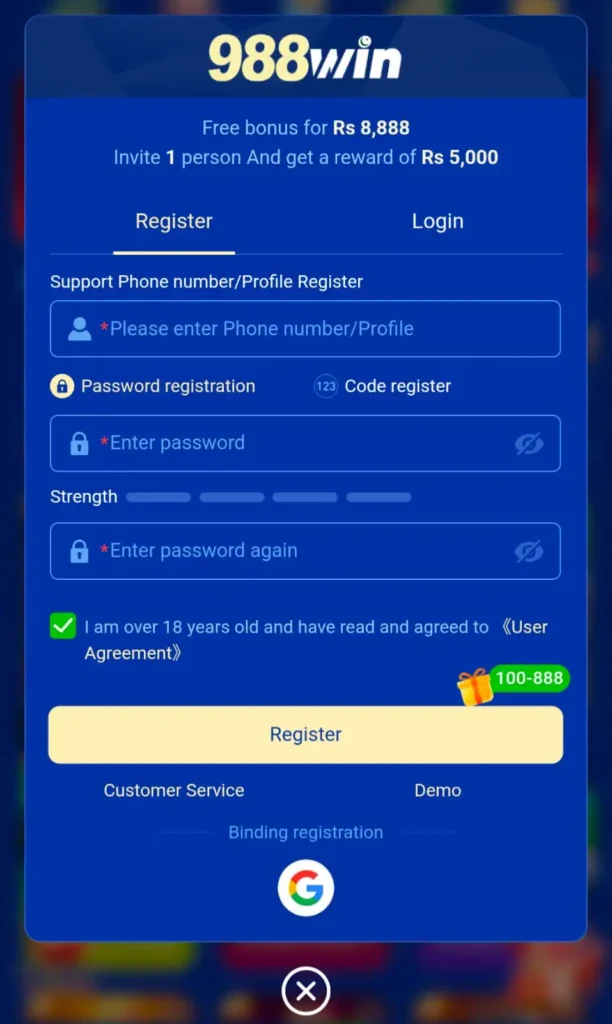
Step 3: Create a Strong Password
Security is very important at Apkgamic.
- Be Creative: Choose a password that is easy for you to remember but hard for others to guess.
- Mix it Up: Use a combination of letters and numbers (for example, PakGamer786).
- Keep it Secret: Never share your password with anyone, even if they claim to be from “customer support.”
Step 4: Verify Your Number (OTP Code)
To make sure you are a real person, the app will send a One-Time Password (OTP) via SMS.
- Check your Messages: You will receive a 4-digit or 6-digit code on your phone.
- Enter the Code: Type this code into the app.
- Note: If you don’t get the code in 60 seconds, click “Resend OTP.” Make sure your SIM card is active and has good signals.
Step 5: Fill in Your Profile Details
Some apps might ask for a few more details to help you with withdrawals later.
- Username: Pick a fun nickname that other players will see.
- Real Name: Use the name that matches your EasyPaisa or JazzCash account. This makes withdrawing your winnings much faster and prevents errors.
Step 6: Accept the Terms and Conditions
You will see a small box that says “I agree to the Terms and Conditions.”
- Age Requirement: By checking this box, you confirm that you are 18 years or older.
- Submit: Click the “Complete” or “Finish” button.
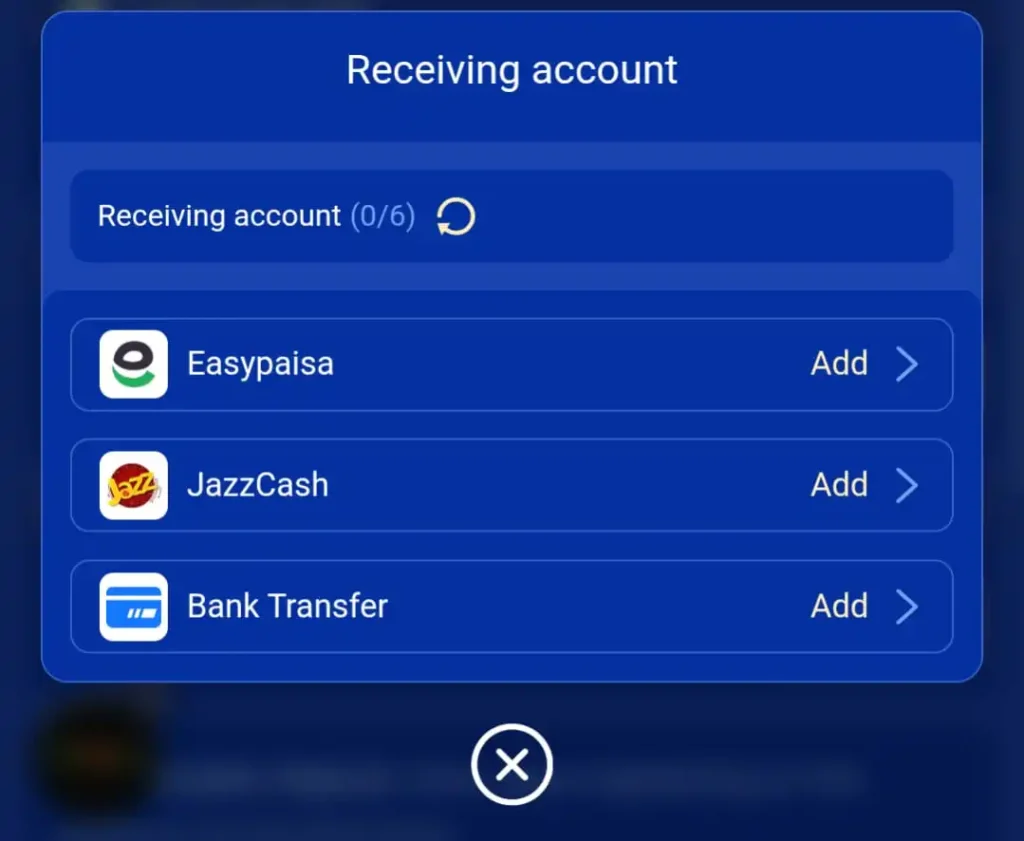
Step 7: Link Your EasyPaisa or JazzCash Account
To get your winnings, you must link your mobile wallet. This is the most important part for players in Pakistan.
- Go to the Wallet Section: Inside the game, look for a button that says “Wallet,” “Withdraw,” or “Account.”
- Select Your Provider: Choose either EasyPaisa or JazzCash from the list.
- Enter Your Number: Type the mobile number that is linked to your EasyPaisa or JazzCash.
- Verify the Name: Double-check that the name in the app matches the name on your mobile wallet account. If the names are different, your withdrawal might fail.
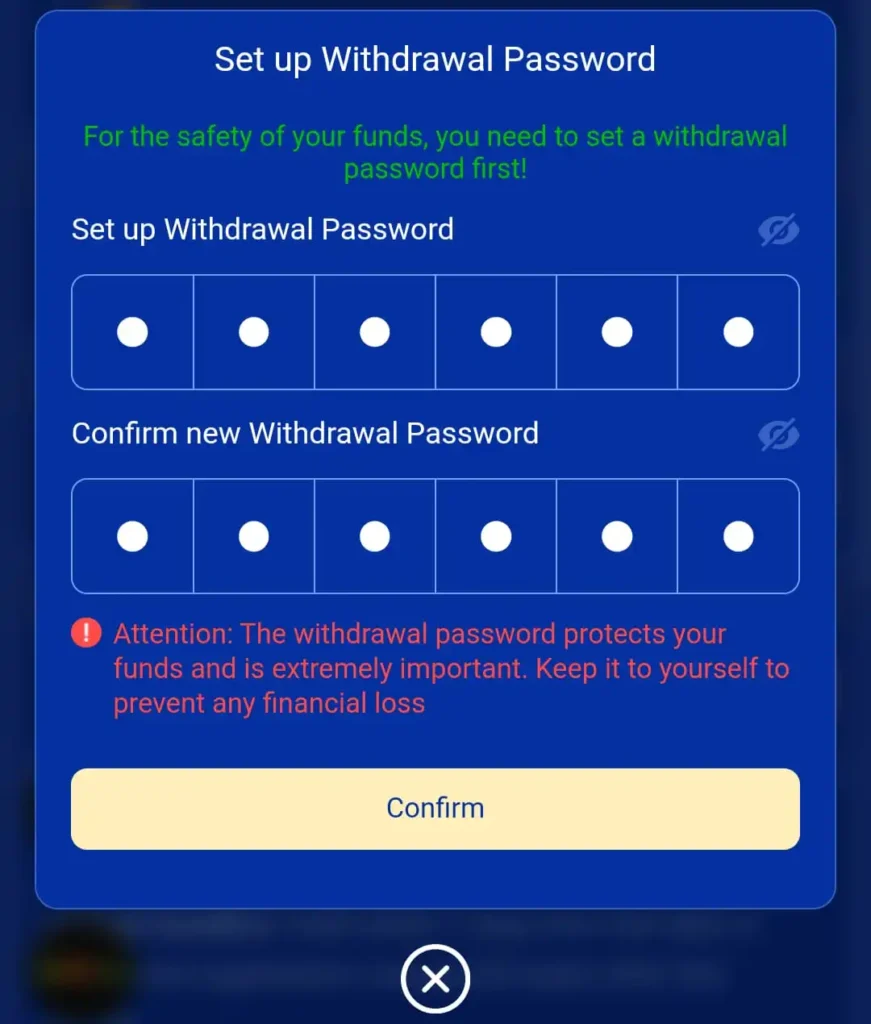
Step 8: Set Your Withdrawal Password (Security)
Most games will ask you to create a special Withdrawal Password. This is different from your login password.
Save It Safely: Write this number down or save it in a safe place. If you forget your withdrawal password, it can be very difficult to get your money out.
Why You Need It: This password is used only when you want to take money out of the app. It keeps your money safe even if someone else opens your phone.
Choose a 6-Digit PIN: Most apps ask for a 6-digit number (for example, 123456—but don’t use something that easy!).
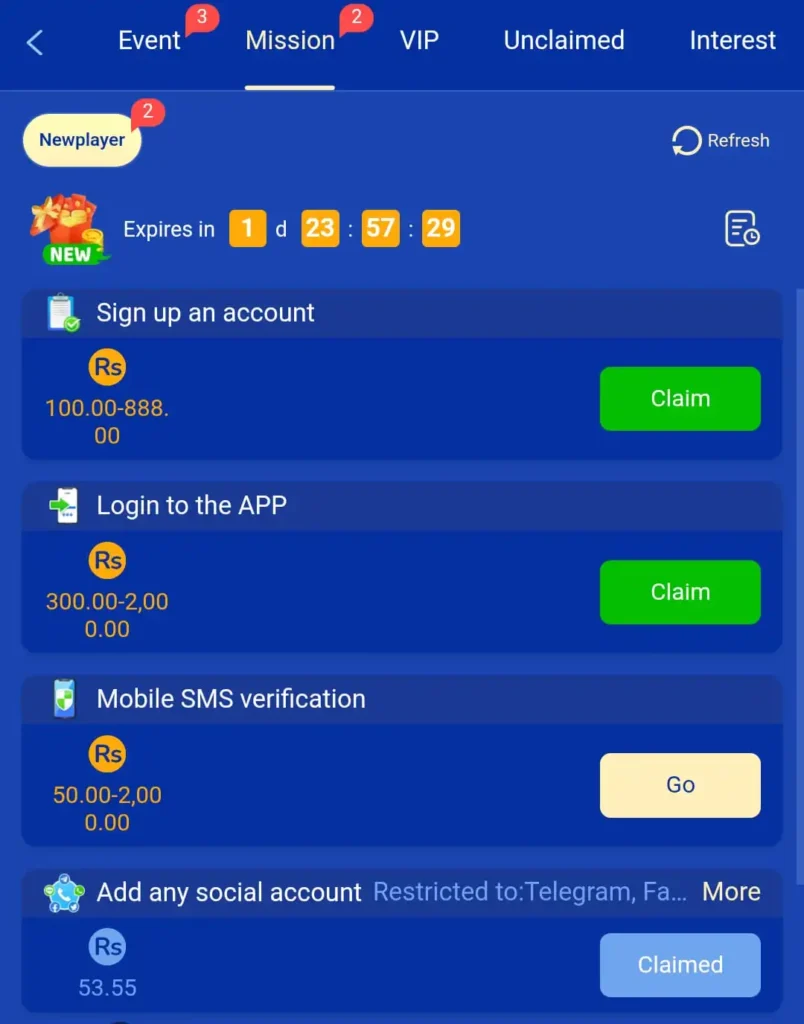
Step 9: You are Ready! (Claim Your Bonus)
Congratulations! Your account is now active.
Start Playing: Choose your favorite game from the lobby and start your entertainment journey.
Check Your Inbox: Many apps give you a “Welcome Bonus” just for signing up. Look for a gift icon or a message in your app’s inbox.
Why Registration is Important for Pakistani Players
- Safety of Funds: Your balance is saved even if you delete the app or change your phone.
- Fast Withdrawals: You can link your EasyPaisa or JazzCash directly to your registered mobile number.
- Customer Support: If you have an issue, our support team can help you much faster if you have a registered account.
- Exclusive Rewards: Registered users get special daily rewards and “Spin the Wheel” bonuses.
Common Problems and Solutions
Check if your phone is on “Do Not Disturb” or “Airplane Mode.” Ensure your signal bars are full. If it still doesn’t work, try restarting your phone.
This means you might have created an account in the past. Try using the “Forgot Password” option to recover your old account.
We recommend using your real name. If you use a fake name, you might face problems when you try to withdraw your money to your mobile wallet.
Need Help? Contact Us Now
Is your registration failing? Don’t worry! Click here to Contact Us, and our experts will guide you through the process step-by-step.
Conclusion: Join the Apkgamic Community
Registering is the key to unlocking the full potential of the games we offer at Apkgamic.com.pk. It is safe, fast, and secure. Now that you know how to register, why wait? Create your account today and enjoy the best gaming experience in Pakistan!